myHHD

For home haemodialysis

Less paperwork. More peace of mind.

myHHD is a dialysis diary and a supplies tracker in one. Enter your weight and ultrafiltration, and the app deducts the materials used, shows when anything will run out, prepares the list for your next delivery and the records for your clinic review.

  • Free and ad-free
  • No sign-up
  • Data stays with you
  • Works offline
  • 16 languages
  • Phone, tablet and computer
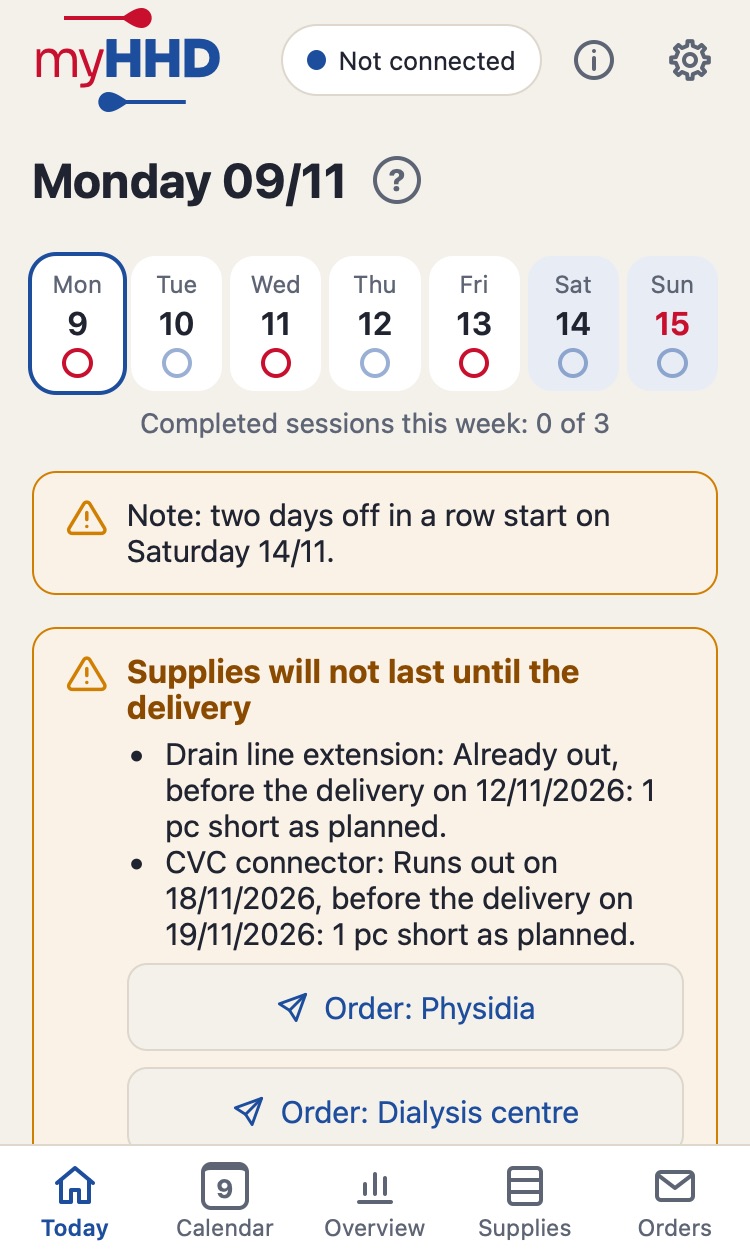
Today screen: the week with dialysis sessions, a warning about two days off and the Start dialysis button with two changes due Chart of an item's stock with a forecast of when it will run out
1 app
for the diary, supplies, orders and clinic reviews. Materials are deducted automatically.
16 languages
from Czech to Ukrainian, with medical terminology.
Free
No subscription, no ads, no paid features.
0 servers
with health data. Your records are only on your device and in your Drive.

Technology, tests and more numbers for the curious: Under the hood

What the app does

Everything about home dialysis in one place

A paper diary, a stock spreadsheet, a delivery calendar and order emails. myHHD brings them together and does the maths for you.

Recording dialysis

Weight, ultrafiltration, done

Before dialysis you enter your weight and the UF you have set, afterwards your weight and the UF reported by the machine. Take over last time's values with one tap and adjust them with − and +. Large buttons, no typing.

  • Reminds you of changes due, such as tubing, connectors or the catheter dressing, before and after dialysis. When you finish, it asks whether the change was done and never ticks anything off for you.
  • Catches typos: flags a value that differs a lot from last time, but recommends nothing.
  • Food and drink during dialysis is subtracted from the measured weight after dialysis.
  • Watches the schedule: warns in advance when the schedule would have two days off in a row. The number of sessions per week is always in view.
  • No scales? Record dialysis with one tap. Dialysis on holiday or at a dialysis unit is recorded without affecting your supplies.
Today screen with the Start dialysis button

Supplies

Stock that keeps count by itself

After each dialysis the app deducts the materials used according to your rules. You see the stock in units and in packs, and a traffic light shows what is running low.

  • Usage rules per dialysis, on a given weekday, every N days or manually. Fractions too, for example one cassette for two sessions.
  • Sorted by urgency: what runs out first is at the top.
  • Early warning: when something will not last until the delivery, the app shows it straight away on Today, even after a session with higher usage.
  • Stock count of all items on one screen, and a reminder when it is time for one.
  • Schedule valid from-to and switching a single day between dialysis and a day off. The forecast follows the plan, not an average.
Supplies by supplier with a traffic light and how many sessions they will last

Usage chart New

See when anything will run out

Every item has its own chart: how the stock developed, when deliveries arrived, where you did a stock count and how low it will go with the planned sessions.

  • Forecast as a dashed line up to the day the material would run out.
  • Next delivery in the chart, so you see at once whether you will manage.
  • How the stock was calculated: a table of all movements, sessions, deliveries and stock counts.
  • Period since the last stock count, 30 or 90 days, or all history. In units or packs.
Stock chart of dialysis fluid with deliveries, a stock count and a forecast

Orders

An order in one tap

Enter the date of the next delivery and the app works out what to order so that the materials last until the one after. In whole packs, separately for each supplier.

  • Send by email (also via Gmail or Outlook), WhatsApp, SMS or any other app. Recipient and text are filled in.
  • Edit by hand with a note on every line, plus a second part “add if needed” for the next delivery.
  • Order language per supplier. Whoever handles the orders gets them in their own language.
  • Reminder on Today: for each supplier you choose how many days before the delivery the Order button appears. Nothing is ever ordered automatically.
  • Reserve in sessions: the order lasts until the next delivery plus the number of extra sessions you choose.
  • PDF with the order table and a history of all sent orders.
Order for the dialysis unit with the delivery date and number of packs

Delivery from a photo

Snap the delivery note, the app does the rest

The app reads the material codes and delivered quantities from the photo and fills them in. The text is read on your phone, the photo never leaves it.

  • Several pages at once, or pasted text (for example via Live Text on iPhone).
  • Assign an unknown code once and the app recognises it next time.
  • Returns as a negative number, in units or packs.
  • On a planned delivery day, Today offers a Record delivery button.
Stock change with the Take or choose a photo button for the delivery note

Overview for clinic review

Go to your review with everything ready

Summary, charts and table, always from one review to the next. The clinic sees exactly what it needs, and you do not have to copy anything.

  • Charts of pre- and post-dialysis weight with dry weight, and of the volume removed with UF per machine.
  • Summary: number of sessions, days without dialysis, average weights and ultrafiltration.
  • Export to PDF and Excel, print, or “Copy for Excel” straight into a spreadsheet. The calendar, supplies and orders can be exported too.
  • Reminds you of the review: the day before and on the day it appears on Today together with the report for the whole period.
  • Earlier periods between reviews in one choice.
Charts of weight before and after dialysis and of the volume removed

Calendar

The whole month at a glance

Past and planned sessions, changes, clinic reviews and deliveries. Open any day and correct it afterwards, everything is recalculated.

  • Stays away from home: holiday or a dialysis unit, sessions elsewhere are recorded without affecting your supplies, or with supplies from home.
  • Record for clinic review for every day: weights, UF set and UF per machine, food and drink, a note.
  • Planned reviews and deliveries as a regular series that moves on by itself.
Calendar with planned sessions, changes and a delivery

Travel New

What to pack for your holiday

Going on holiday and taking supplies from home? Record the stay and the app works out what to pack for all sessions away, based on your schedule and usage rules.

  • A checklist in units and packs, including what you take as needed.
  • Calendar of the stay shows which days you dialyse at home and which away. On the days you leave and return, you choose where dialysis takes place.
  • Also remember: your own list of things besides materials, such as the machine or scales, at the end of the list.
  • Watches your stock: warns when, according to the forecast, there will not be enough at home on the day you leave.
  • A week before you leave, Today reminds you what to pack.
What to pack list with the number of sessions away and materials to tick off

What it looks like

Today screen
Today
Record for clinic review in the day detail with weight and food during dialysis
Day detail
Calendar on the phone by week
Calendar
Overview for clinic review with a summary
Overview for clinic review
Charts of weight and volume removed
Charts
Supplies with a traffic light
Supplies
Stock chart with a forecast
Stock chart
Suggested order
Orders
Stock change with a delivery note read from a photo
Delivery from a photo
Settings divided into groups
Settings
Choice of appearance and language with flags
Appearance and language

The screenshots show made-up sample data.

All devices

On phone, tablet and computer

One app for every platform and screen size. On the phone a bottom bar and the calendar by week, on the computer a side menu and the whole month. Portrait and landscape. Records are synchronised between devices through your Google Drive.

myHHD on a computer: monthly calendar with sessions, weights and changes
The same calendar on the phone by week
  • iPhone
  • iPad
  • Android phone and tablet
  • Windows
  • Mac
  • Linux
  • Chromebook
Light mode
Light mode
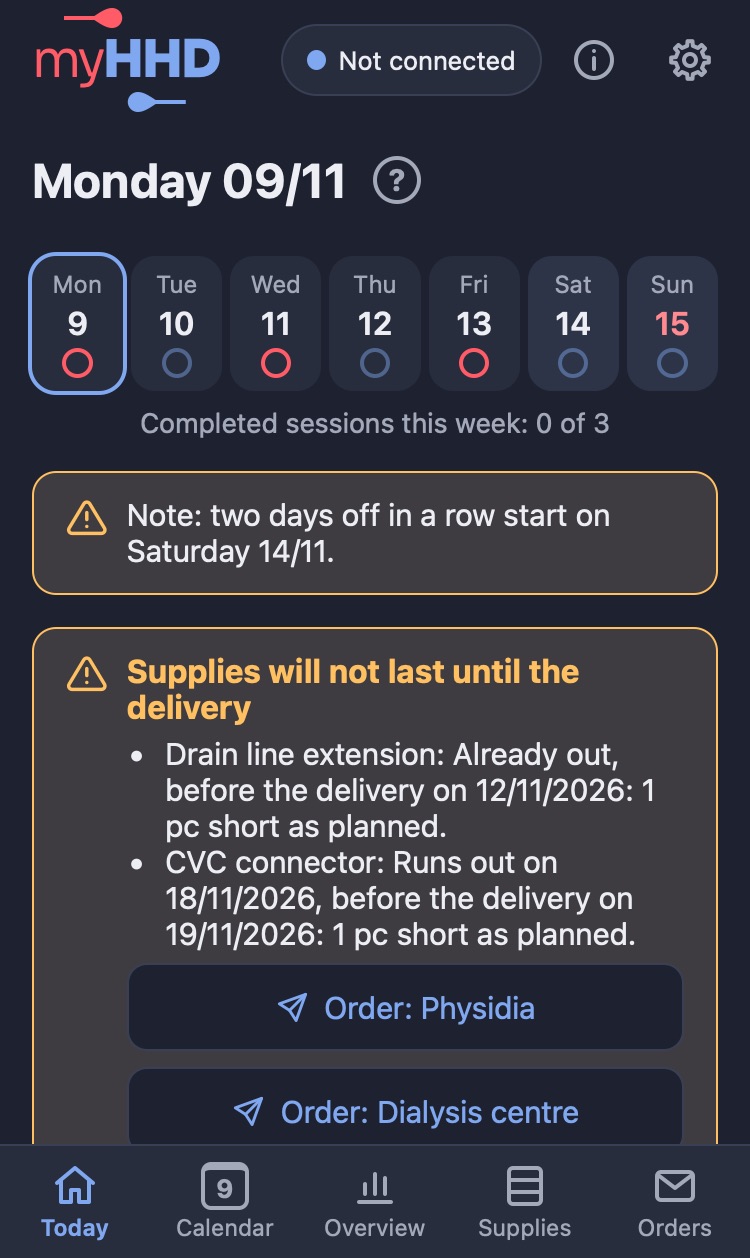
Dark mode
Dark mode

The appearance follows your phone, or you set it yourself. For weaker eyesight there is higher contrast to WCAG AAA.

Languages

Speaks 16 languages

The whole app including help, with medical terminology. Dates, numbers and units follow the conventions of each language. Switch the language with one tap in Settings.

  • Čeština
  • Dansk
  • Deutsch
  • English (UK)
  • Español
  • Français
  • Italiano
  • Magyar
  • Nederlands
  • Norsk (bokmål)
  • Polski
  • Português (Portugal)
  • Slovenčina
  • Suomi
  • Svenska
  • Українська

The translations are machine-made. Czech is the app's original language; all other languages are machine translations without any guarantee of accuracy.

Do you speak one of them? Volunteers to review the texts are welcome, ideally with knowledge of medical terminology. Write to contact@myhhd.app.

Supplies (Deutsch)
Deutsch
Calendar (Français)
Français
Overview charts (Suomi)
Suomi
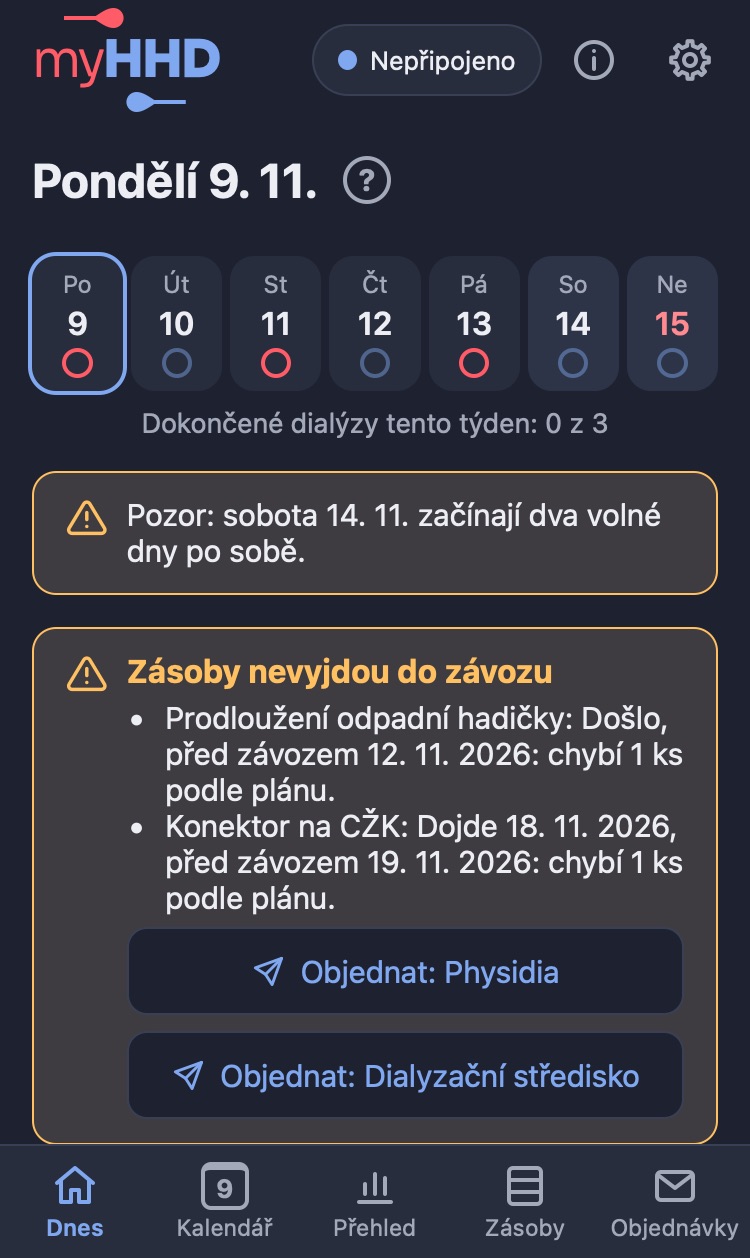
Today screen (Čeština)
Čeština

And also

Lots of small things that make life easier

Works without signal

Everything is saved on the device first. Sync happens by itself once you are online.

Phone and computer in step

Record anywhere. Records from several devices are merged without conflicts, nothing is overwritten.

Daily backups

Every day your data changes, a backup is made in your Drive. Restore with one choice.

Complete history

A correction or deletion never overwrites the original record. The history stays complete and the state is always recalculated.

Lost phone

Remove a lost or sold device remotely. Its data is deleted the next time it connects, you keep yours.

Export the full history

Download a file with all records at any time and keep it anywhere, for example in iCloud or OneDrive.

Higher contrast

Text and colours to WCAG AAA, switched on by the system or by hand. Screen reader support.

Help everywhere

A question mark on every screen explains what is what. The Getting started guide takes you through the first setup.

Updates itself

New versions arrive without an app store. You find out what is new right in the app and in the version history.

Your own materials

You set up items, units, pack sizes and suppliers yourself. Works with any machine and any supplier.

Clinic reviews

A list of reviews including planned ones. Reports always run exactly from review to review.

Report a problem

One button opens an email with the app version and device. No health data is attached.

Privacy

Your data stays with you

Weights and dialysis records are health data. That is why myHHD is designed so that nobody else can get to them, not even the app's author.

On your device

Records are stored right on your phone or computer. The app works without signal.

In your Google Drive

Sync and daily backups go to a myHHD folder in your own Drive. The app only sees files it created itself. Connecting is optional.

Nowhere else

No server of our own with health data, no analytics, no ads. Photos of delivery notes are read on the phone. The browser is forbidden by the app to send records anywhere but your Drive. Only you send an order or an export.

Permissions

  • Google Drive: only files the app has created itself, for backups and syncing between devices. Connecting is optional; the app works fully without it.
  • Camera and photos: the app has no access to them. For a delivery note it opens the system menu and receives only the photo you pick or take.
  • Persistent storage: so the browser does not delete data when space runs low. Usually the browser decides on its own without asking.
  • Clipboard and sharing: only when you tap Copy or Share yourself.
  • The app does not use location, microphone, contacts or notifications.

Details are in the privacy policy.

Install

On your home screen in a minute

myHHD is not installed from an app store and needs no sign-up. Open it in your browser and add it to your home screen; it then behaves like a normal app and updates itself.

iPhone and iPad

  1. Open myhhd.app/app in Safari (from iOS 16.4 also in Chrome or Edge).
  2. Tap Share (the square with an arrow pointing up; in Chrome and Edge in the address bar or the menu).
  3. Choose “Add to Home Screen” (you may need to tap “More” first) and confirm.
  4. Then always start the app from the icon on your home screen.

Android

  1. Open myhhd.app/app.
  2. Chrome: menu ⋮ at the top right > “Install app” or “Add to Home screen”.
  3. Samsung Internet: menu ☰ at the bottom > “Add page to” > “Home screen”.
  4. Firefox: menu ⋮ > “Add to Home screen”.

Windows

  1. Open myhhd.app/app in Edge or Chrome.
  2. Click the install icon on the right of the address bar.
  3. Or in Edge menu … > Apps > Install this site as an app; in Chrome menu ⋮ > Cast, save and share > Install page as app.
  4. Firefox usually cannot install apps; use Edge or Chrome.

Mac

  1. Safari: open myhhd.app/app, then the File menu > Add to Dock.
  2. Chrome or Edge: the install icon on the right of the address bar, or menu > Cast, save and share > Install page as app.
  3. Firefox usually cannot install apps; use Safari, Chrome or Edge.

Linux and Chromebook

  1. Open myhhd.app/app in Chrome, Chromium or Edge.
  2. Click the install icon on the right of the address bar, or menu ⋮ > Cast, save and share > Install page as app.
  3. Firefox usually cannot install apps; use Chrome or Chromium.

Step by step with screenshots: user guide.

Frequently asked questions

How much does it cost?

Nothing. The app is free, with no ads and no paid features. If it helps you, you can support the author voluntarily in Settings > About the author.

Do I need an account?

No. The app works straight away. You connect Google Drive only if you want backups and your records on another device.

Does it work with my machine and supplier?

Yes. You set up materials, units, pack sizes, usage rules and suppliers yourself, ideally once together with your dialysis unit. The app is not tied to any particular machine.

What if I lose my phone?

With Google Drive connected you do not lose synchronised records: they download on a new device after you sign in. Remove the lost phone in Settings and its data is deleted the next time it connects.

Does it work without the internet?

Yes. Everything except sync and the first reading of a delivery note from a photo works offline.

Does the app recommend treatment settings?

No. myHHD is a diary and a record of materials. You enter the UF you have set yourself; the app neither calculates nor suggests it.

Important notice

myHHD is for record keeping. It does not replace the instructions of your doctor or dialysis unit, and it neither calculates nor recommends treatment settings (such as ultrafiltration).

The stock forecast and suggested order are based on your rules and stock counts. Check the order before sending it. The app is provided free of charge and as is.

Decisions about your treatment are always made by your doctor.

Who is behind the app

The app is developed and run by a home haemodialysis patient, at their own expense. It grew out of the need to replace a paper diary and spreadsheets with something you always have with you. If it helps you, you can support the author in the app (Settings > About the author).

Ideas, bugs and questions: contact@myhhd.app

Try it today

Free, no sign-up, nothing to install from a store. Just open it.

Open the app